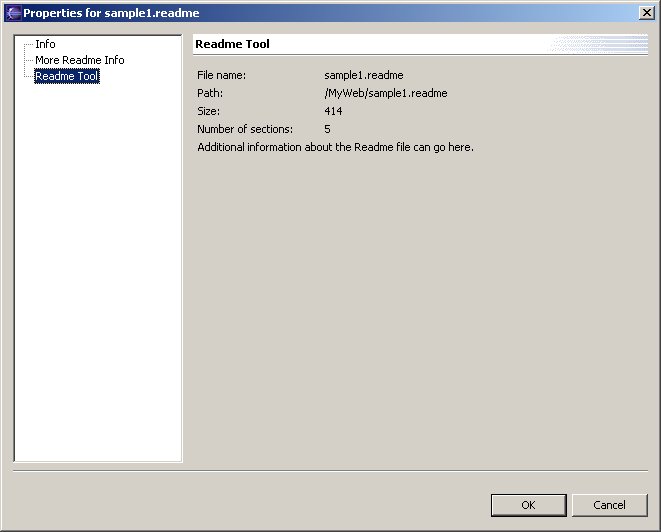
You can contribute a property page for a resource by using the org.eclipse.ui.propertyPages extension point. A resource's property page is invoked using the Properties menu in the resource navigator view. This menu is available when a single resource is selected.
The readme tool contributes two property pages.
<extension
     point = "org.eclipse.ui.propertyPages">
        <page
           id="org.eclipse.ui.examples.readmetool.FilePage"
           name="%PropertiesPage.filePage"
	   objectClass="org.eclipse.core.resources.IFile"
	   class="org.eclipse.ui.examples.readmetool.ReadmeFilePropertyPage"
           nameFilter="*.readme">
        </page>
         <page
            id="org.eclipse.ui.examples.readmetool.FilePage2"
            name="%PropertiesPage.filePage2"
 	   objectClass="org.eclipse.core.resources.IFile"
 	   class="org.eclipse.ui.examples.readmetool.ReadmeFilePropertyPage2"
            nameFilter="*.readme">
         </page>
  </extension>
Both pages are contributed for objects of type IFile with a .readme file extension.
Property pages look a lot like preference pages, except there is no hierarchy or categorization of property pages. In the dialog below, both readme property pages appear in the main list of pages.
